
This is a cautionary tale about impact of deprecated functionalities in infrastructure when having automatic updates active.
On 04.07.2024 I checked my Nextcloud instance and saw it was offline. I connected with ssh to the virtual machine running Nextcloud to check the logs. They showed that there was an issue with the connection to mysql database.
mysql runs in a docker container on a separate VM. All my HomeLab applications which require mysql uses the same instance. This meant that beside Nextcloud other applications were also affected. When I mysql logs, I saw that there was an upgrade from version 8.4.1 to 9.0.0 over night and something broke.
When I tried to connect to the mysql trough command line, I got an error for all the configured users that mysql_native_password is not loaded. I checked version 9.0.0 release notes and saw that mysql-native-password option was removed. This meant that none I couldn’t log in with any of the existing users, which used the old mysql_native_password plugin.
I found the issue, now it was time to search for a solution!
First thing I did was to check how old was my backup. I run an automatic backup mechanism on all my VM’s each Sunday, so the last backup available was from 30.06.2024. If I rolled back the entire VM running mysql container, I would loose almost 4 days worth of data. Before I decided to choose this option, I wanted to explore other options to recover the existing instance.
Next thing I tried was to rollback the mysql docker image to 8.4.1. I changed in the docker-compose file the following parameter image: mysql:8.4.1. After restating the container, I checked the logs trough Portainer and found the following error: invalid mysql server downgrade cannot downgrade from 90000 to 80401. This meant I couldn’t go back to an older mysql version because the database has been already upgraded to the new schema and they were not compatible.
I spent almost an entire day researching online on this topic and asking for support on Discord and Reddit. In the end I found on my own out a solution which helped me recover the existing mysql instance and avoid loosing any data.
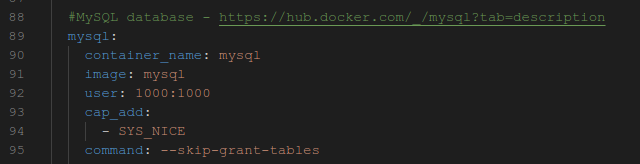
I added to docker compose file the option command: –skip-grant-tables then I recreated the container. This allowed me to connect to existing mysql instance without any credentials.
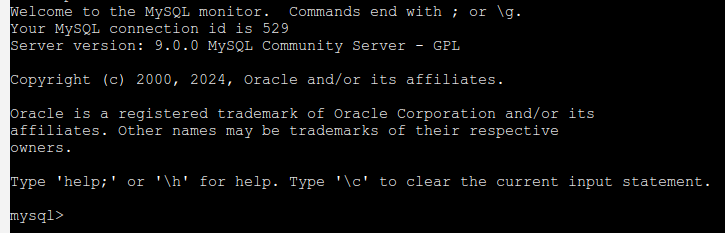
Using Portainer web interface, I opened a shell to mysql instance and typed mysql. Hooray! I was finally in and now I could recover the root password.
According to this documentation I have to run FLUSH PRIVILEGES; before running any account-management instructions.
I searched for all users who have the mysql_native_password authentication plugin using command select User,Host,plugin from mysql.user where plugin=’mysql_native_password’;
For each user and host I ran the following command: ALTER USER ‘user’@’host’ IDENTIFIED WITH caching_sha2_password BY ‘new_password’;
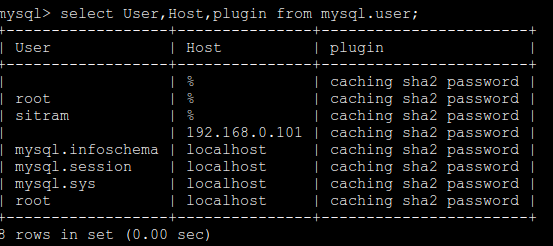
I checked again what plugin was configured for each user and saw that it was now changed to the new one.
Once this was done, I removed from docker-compose file command: –skip-grant-tables then recreate the container.
I checked all the applications which used mysql and they are all up and running! Crisis averted! Everything was once again running, at least until the next thing breaks! 😉
If you decide have a HomeLab, make sure you are prepared to deal with situations where stuff break and you don’t have the necessary knowledge to quickly fix them.